Changing your payment plan
Life changes, and your plan can too. If you already have an active payment plan, open Payment plan → Manage plan in your portal. Four kinds of changes are available:
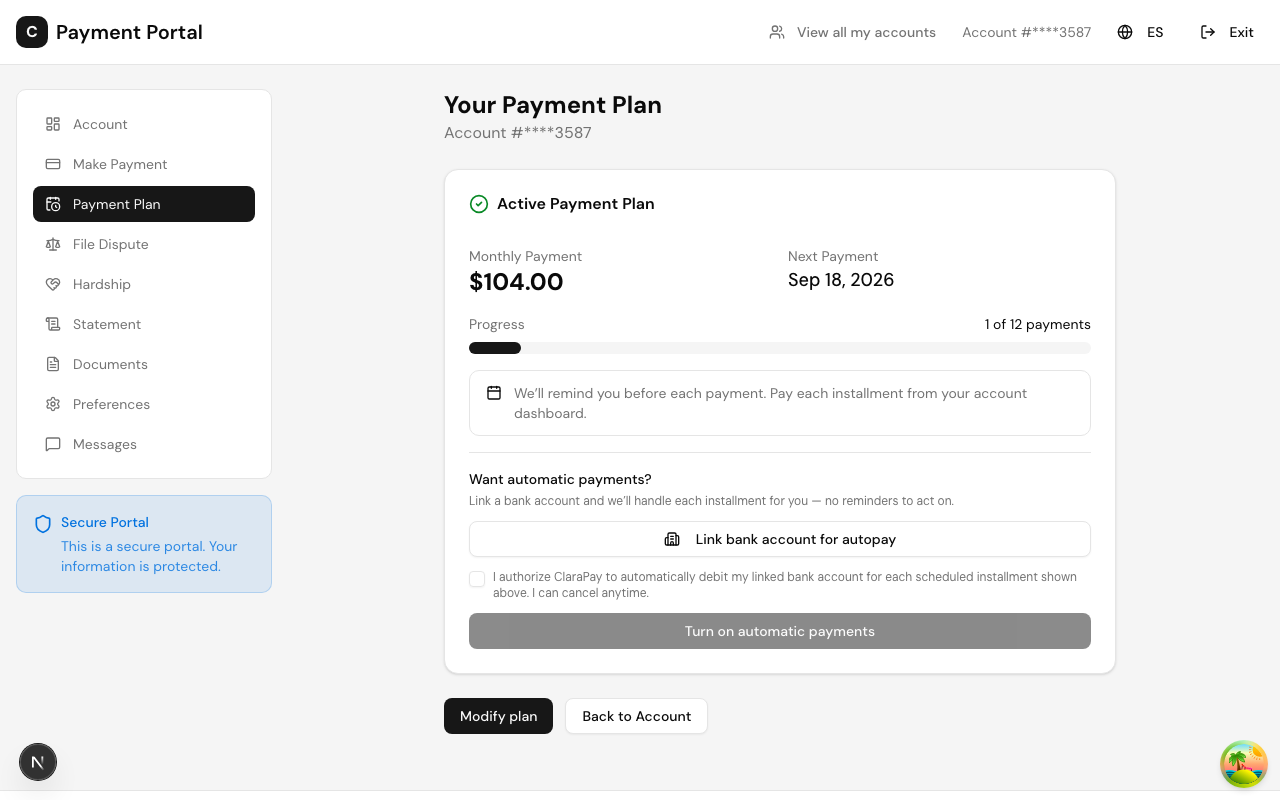
What you can change
- Change your payment day. Pick a different day of the month for your installments — useful if your payday moved.
- Change your payment amount. Request a different monthly amount.
- Skip a payment. Request to skip an upcoming installment. You will be asked for a short reason so our team has context.
- Cancel the plan. Submit a cancellation request with a reason. Our team reviews it and follows up with you.
How changes are handled
Some changes take effect right away; others are reviewed by our team first. Either way, every request you submit appears in your modification history on the same page, with its current status — so you always know where a request stands. If a request needs review, we will respond through the portal.
Autopay changes
If your plan uses automatic bank payments, you can turn autopay off (your plan continues with reminders and manual payments) or turn it back on by linking a bank account and confirming consent again.
If you are struggling to keep up
You do not have to just let payments fail. Skipping a payment, lowering the amount, or telling us about a hardship are all better options — see Hardship and financial assistance or message us from the Messages page. We would rather adjust the plan with you than have it break.
Last updated August 20, 2026